
### Audiobook automation for Plex and Audiobookshelf
[](https://ko-fi.com/kikootwo)
[](https://github.com/sponsors/kikootwo)
[](https://github.com/kikootwo/readmeabook/actions/workflows/build-unified-image.yml)
[](https://github.com/kikootwo/readmeabook/actions/workflows/run-tests.yml)
[](https://github.com/kikootwo/readmeabook/pkgs/container/readmeabook)
[](https://www.gnu.org/licenses/agpl-3.0)
[](https://github.com/kikootwo/readmeabook/stargazers)
[](https://discord.gg/kaw6jKbKts)
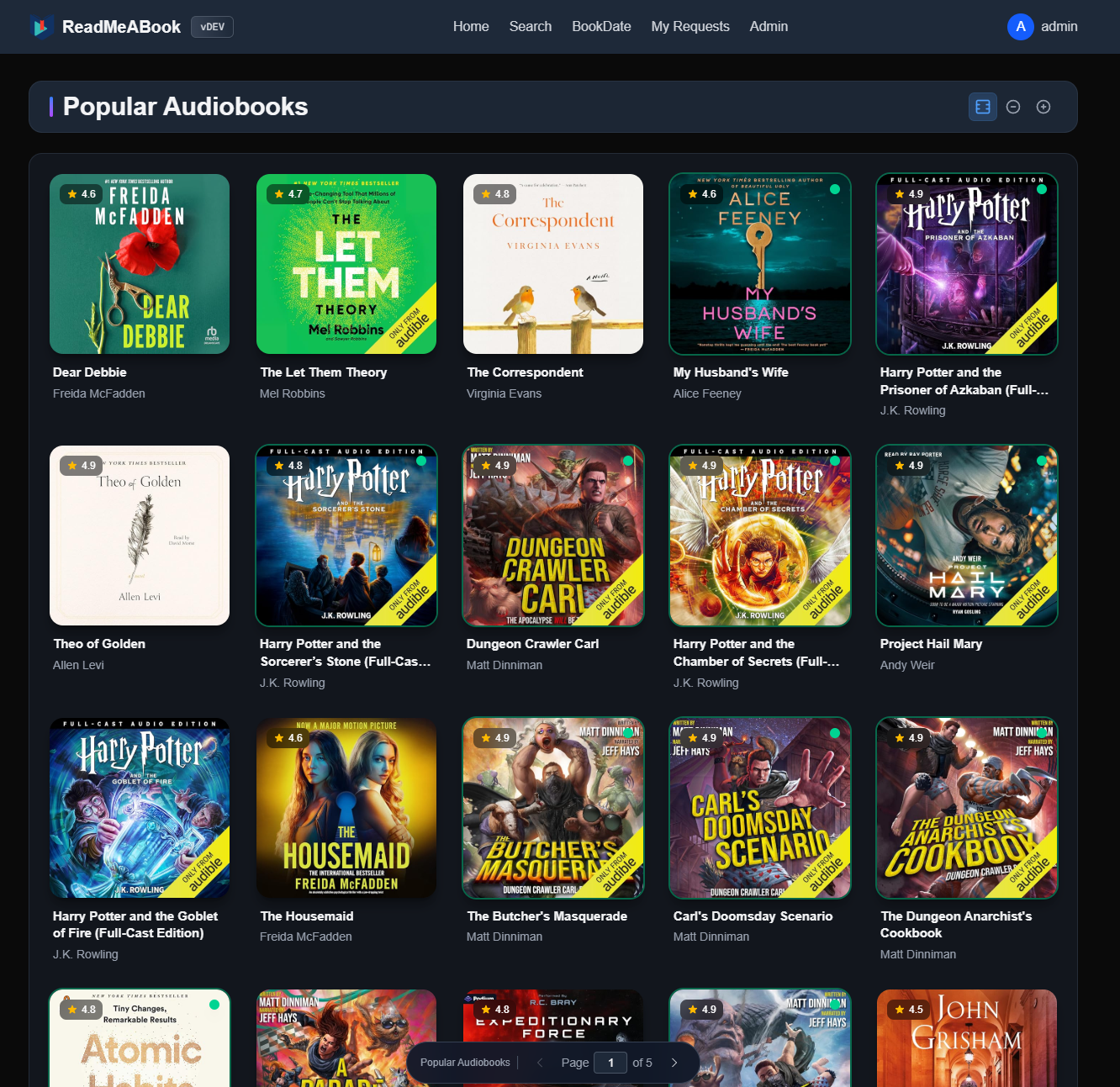
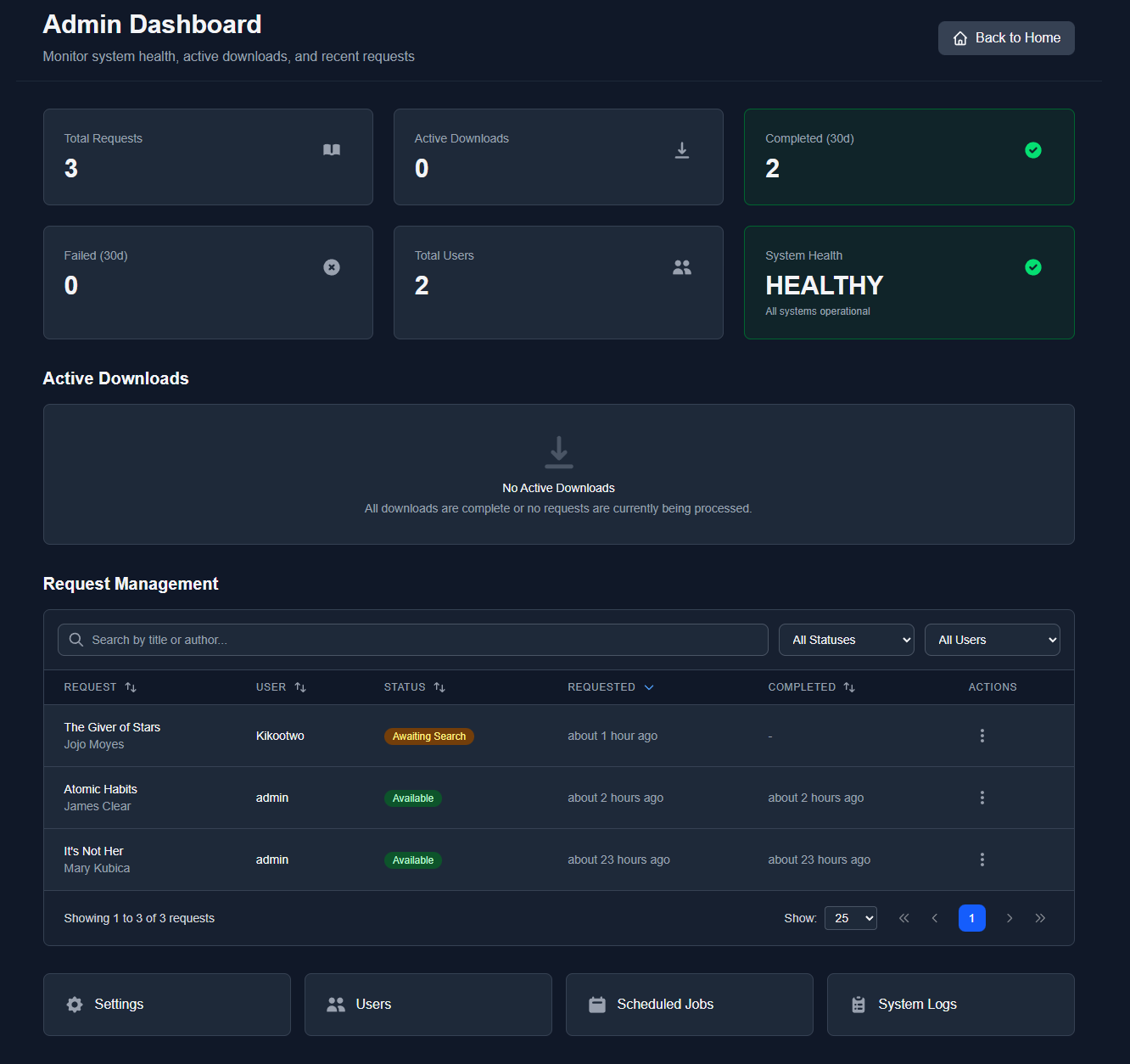
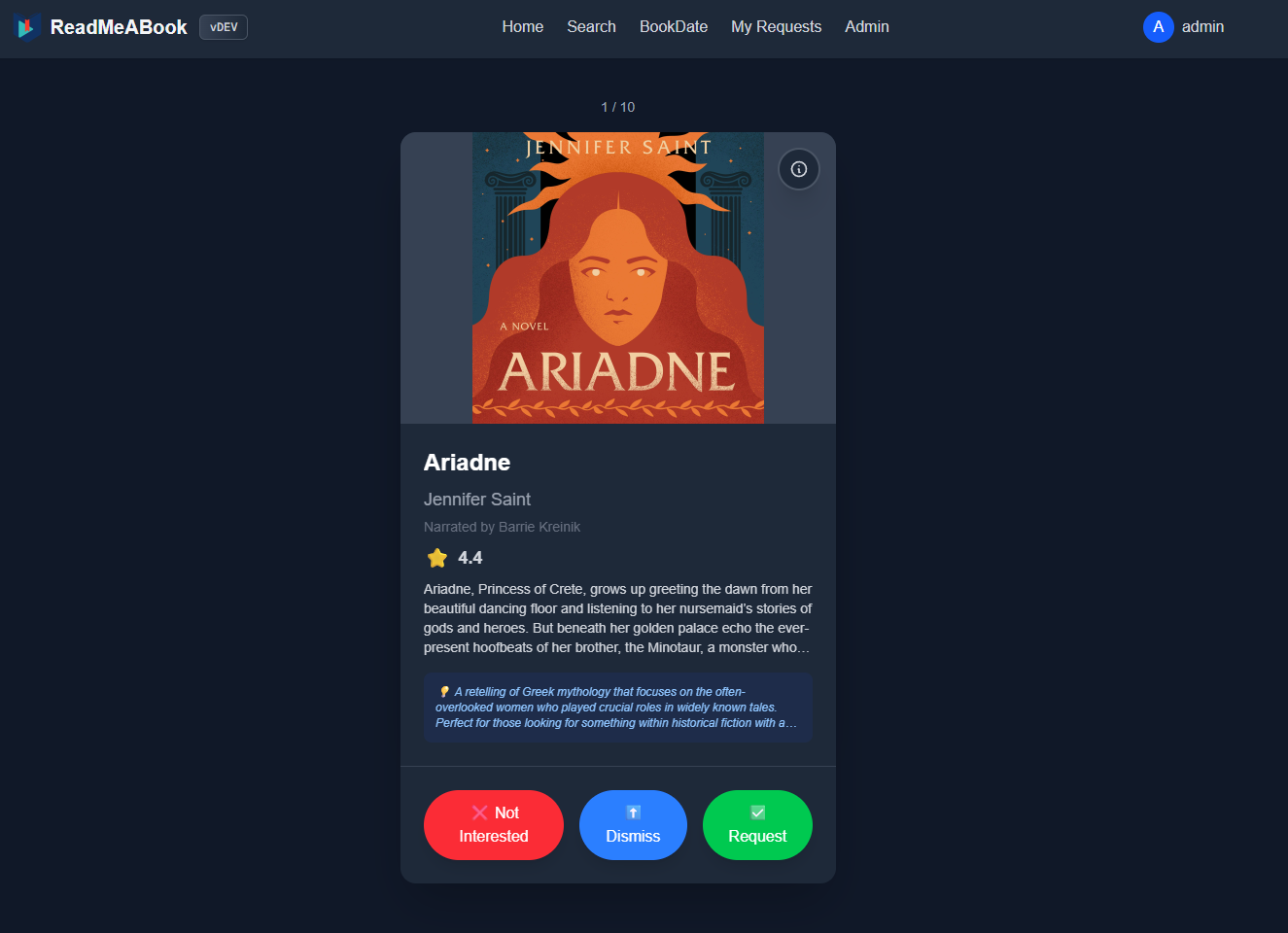
*Radarr/Sonarr + Overseerr for audiobooks, all in one*
[Features](#features) • [Setup](#setup) • [Screenshots](#screenshots) • [Discord](#community)
 ## Community
Join the Discord: https://discord.gg/kaw6jKbKts
Feature and fix Contributions are highly welcome. Documentation in `documentation/` if you want to contribute. Discord is a great place to ask questions!
## Support
If you find this project useful, consider supporting development via [GitHub Sponsors](https://github.com/sponsors/kikootwo) or [Ko-fi](https://ko-fi.com/kikootwo).
If you'd like to support but cannot sponsor, a simple star on the GitHub repo is also greatly appreciated!
## Built with AI Assistance
This is a human-engineered application. Architecture, design decisions, code review, and project direction are managed by a principal engineer with nearly 15 years of professional software development experience.
AI tools (Claude, GitHub Copilot) serve as force multipliers. Accelerating implementation, maintaining consistency, and handling boilerplate, while human expertise drives the technical vision. This mirrors how AI assistance is used at leading technology companies today.
**The workflow:**
- Token-optimized documentation system designed for AI consumption ([CLAUDE.md](CLAUDE.md))
- Structured navigation enabling AI to find relevant context without reading entire codebases
- Consistent architectural patterns that AI tools can follow and extend
- Human review of all AI-generated code before merge
The result: enterprise-grade velocity on a solo project without sacrificing code quality or architectural integrity.
---
## Community
Join the Discord: https://discord.gg/kaw6jKbKts
Feature and fix Contributions are highly welcome. Documentation in `documentation/` if you want to contribute. Discord is a great place to ask questions!
## Support
If you find this project useful, consider supporting development via [GitHub Sponsors](https://github.com/sponsors/kikootwo) or [Ko-fi](https://ko-fi.com/kikootwo).
If you'd like to support but cannot sponsor, a simple star on the GitHub repo is also greatly appreciated!
## Built with AI Assistance
This is a human-engineered application. Architecture, design decisions, code review, and project direction are managed by a principal engineer with nearly 15 years of professional software development experience.
AI tools (Claude, GitHub Copilot) serve as force multipliers. Accelerating implementation, maintaining consistency, and handling boilerplate, while human expertise drives the technical vision. This mirrors how AI assistance is used at leading technology companies today.
**The workflow:**
- Token-optimized documentation system designed for AI consumption ([CLAUDE.md](CLAUDE.md))
- Structured navigation enabling AI to find relevant context without reading entire codebases
- Consistent architectural patterns that AI tools can follow and extend
- Human review of all AI-generated code before merge
The result: enterprise-grade velocity on a solo project without sacrificing code quality or architectural integrity.
---